
Power BI Dashboards
Empower Your LogMate TiPSView Experience with Seamless Power BI Integration
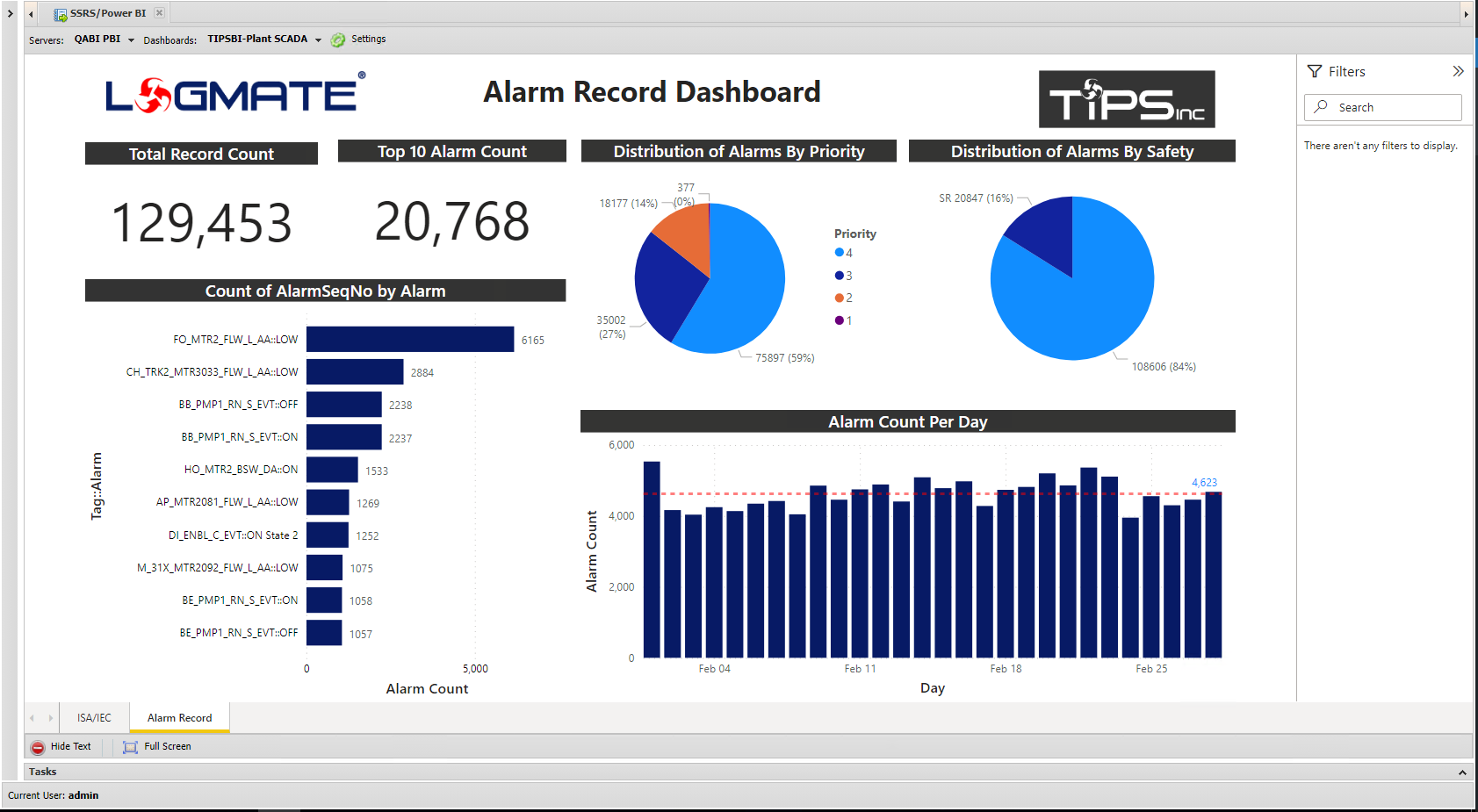
Elevate your data visualization and analytics capabilities with the LogMate TiPSView portal, now featuring seamless integration with Microsoft Power BI (PBI). With Power BI dashboards fully embedded within TiPSView, users can now customize and interact with rich, interactive dashboards without ever leaving the LogMate ecosystem.
TiPS continues to set the standard in the market by delivering easy, robust integration of Power BI analytics directly into the LogMate environment. This integration empowers users with powerful data insights, ensuring they can access and analyze critical information effortlessly.
Real-Time Insights for Critical Process Monitoring
While our predefined reports set the benchmark for industry standards, we understand that every organization has unique needs. With Power BI integration, you gain the ability to visualize real-time insights that address critical process issues promptly. Customize dashboards to monitor your most vital KPIs, analyze data trends, and make data-driven decisions on the fly, all within the familiar TiPSView portal.
Unmatched Flexibility and Control
Experience unmatched flexibility and control over your data visualization and analytics with Power BI’s interactive dashboards. Whether you need high-level overviews or detailed breakdowns, the integration within LogMate TiPSView ensures you have the tools you need to visualize your data like never before.
Unlock the full potential of your data and take your LogMate TiPSView portal to the next level with the power of Microsoft Power BI integration.

✔ Unified Experience
Access all your Power BI dashboards directly within TiPSView, ensuring a cohesive and seamless user experience.
✔ Predefined & Custom Reporting
Utilize predefined reports for compliance and create custom dashboards tailored to your specific needs.
✔ Real-Time Analytics
Monitor and respond to critical process issues in real-time with live data integration.
✔ Enahnced Decision Making
Empower your teams with actionable insights to drive better decision-making across your organization.
✔ Promotes Custom Branding and Theming
The dashboard can be customized for specific corporate look and feel customizing the color schemes, fonts and layouts.
✔ TiPSView User interface has dynamic menu for easy selection of any Power BI dashboard
As more dashboards and reports are added, no additional configuration is required in the TiPSView User Interface.
✔ Power BI is well documented for development
Many companies have internal resources with Power BI experience.
✔ LogMate users are not required to know Power BI integration details
Power BI configuration and integration is setup as a LogMate administrator.
✔ LogMate users access Power BI dashboards through the same TiPSView user interface
Separate credentials are not required.
✔ Apply query filters directly in Power BI dashboard
Dashboards can apply ad hoc filters.
✔ Real-time Data Insights
Integration allows for real-time data analytics. LogMate real-time data collection can push data directly to Power BI dashboards, enabling users to monitor data as it changes, which is crucial for decision-making processes that rely on up-to-date information.
✔ Centralized Data Access
Users can access all their data and analytics from within the TiPSView application, providing a centralized platform for data management and decision-making. This reduces the need to switch between different tools or platforms.
✔ Cost Efficiency
Instead of developing custom reporting and analytics solutions, integrating with Power BI leverages an existing, robust platform. This can save significant development time and costs, especially for smaller installations.
✔ Scalability and Flexibility
Power BI integration offers scalability to accommodate growing data and user needs. It also provides flexibility to connect with a wide range of data sources other than LogMate, ensuring that TiPSView application can handle complex data environments.
TiPSView uses http requests to Power BI using Power BI Report server Integration.
The standard Power BI user interface is embedded in the TiPSView user interface.